


General concepts
Microsoft SQL Server 7.0 allow you to validate data for transactional replication. You can specify rowcount only validation (the default) or full checksum validation of the article data.
The process of checking replication includes the following steps: number of lines and checksum of the table of the publisher is counted up at first, then the similar sizes are calculated for the tables of the subscribers, and on the basis of comparison is judged synchronisation of their data. It is possible to do only the calculation of number of lines without calculation of the control sum for economy of time. The process of checking of reliability in SQL Server 7.0 proceeds in the latent mode, i.e. it does not interrupt transactions of the publisher and the current replication does not stop.
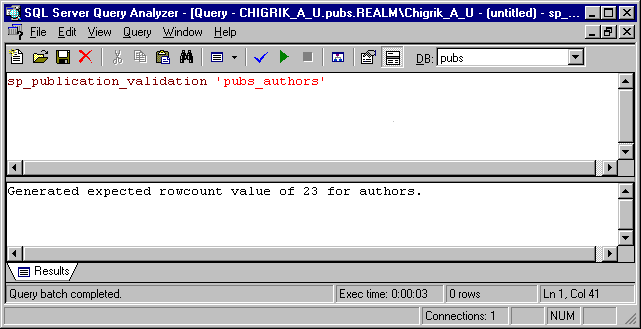
You can use sp_publication_validation stored procedure to validate data for transactional replication. This stored procedure validate the data associated with each article by calling sp_article_validation (after the articles associated with a publication have been activated).
The sp_article_validation stored procedure invokes sp_table_validation stored procedure, which calculates number of lines and control sum of the published table. Then the procedure sp_article_validation inserts a call of sp_table_validation directly into a transactional log of the publisher. The process passes values of number of lines and control sum as parameters in a call of sp_table_validation, written down in the transactional log. After that Distribution Agent sends a call of sp_table_validation to the subscribers and checks the data of the subscriber with the data of the publisher.
The procedure sp_table_validation generates the system message, in which is spoken about successful or unsuccessful end of check given at the subscriber. Distribution Agent reads the system message formed by sp_table_validation. If the check has passed successfully, the Distribution Agent forms the system message 20575, and if the check has passed unsuccessfully, the Distribution Agent forms the system message 20574. Distribution Agent continues to send replications transactions to the subscriber, even if the check has shown, that the synchronization given of this subscriber is broken.
Restrictions
- Rowcount validation is available only for SQL Server 6.x and later subscribers and full checksum validation is available only for SQL Server 7.0 subscribers.
- The checksum validation cannot be used when the base table has been filtered vertically, but it can be used when the table has been filtered horizontally, because the checksum is calculated on the entire row.
- The checksum algorithm is a 32-bit redundancy check (CRC), including all columns with the exclusion of test and image column.
- The tables at the publisher and at the subscribers must have identical structures (should coincide columns and order of their following, length and types of the data, and also property NULL/NOT NULL). It is necessary for correct calculation of the control sum.
- SQL Server use bcp utility for coping data from publisher to subscribers.
This utility may work in native or in character mode. If you use columns with float data and your application has heterogeneous subscribers then bcp utility will work in character mode and checksum on publisher and subscriber will not equal. Not use the calculation of the control sum in this case.
- You must stop the MSDTC service at the Publisher during validation (to ensure that the values at the Subscriber and Publisher do not change while validating a publication).
Example
Make enabled the following replication alerts (if it is not still enabled):
– Subscriber has failed data validation
– Subscriber has passed data validation
This alerts generate errors 20574 and 20575 accordingly.
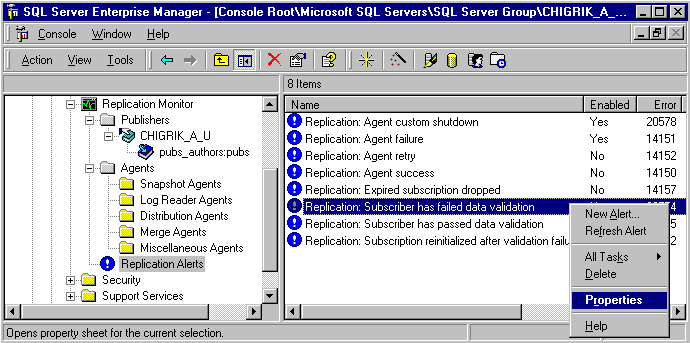
Then you will see the following:
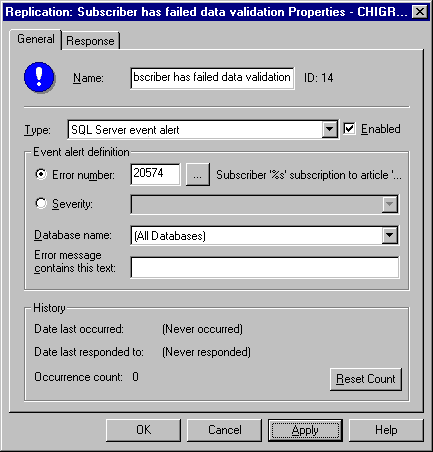
Check “Enabled” box and press “Apply” button.
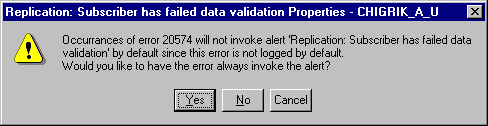
Choose “Yes”.
Make the same actions for alert “Subscriber has passed data validation”.
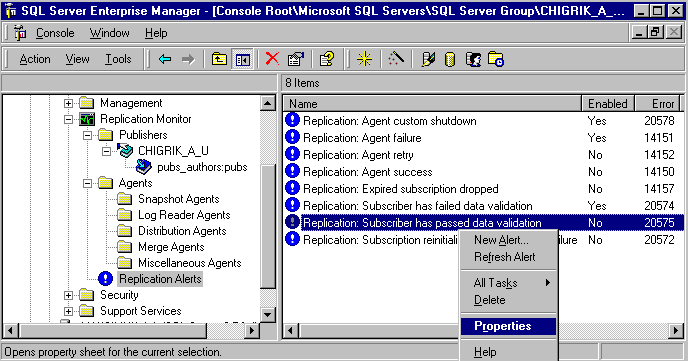
Then you will see the following:
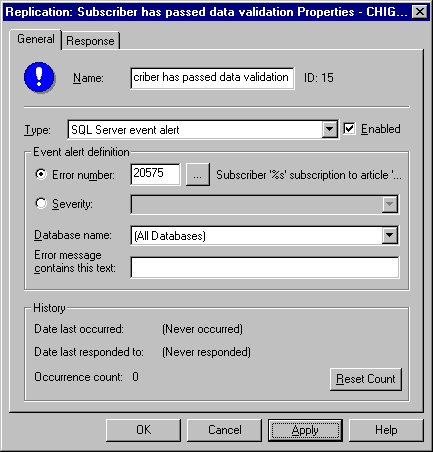
Check “Enabled” box and press “Apply” button.
Then you will see the following:
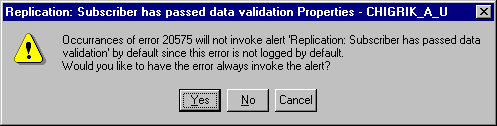
Choose “Yes”.
You can validate your data on a regular schedule by creating a Transact-SQL job or you can run sp_publication_validation or sp_article_validation from Query Analyzer.
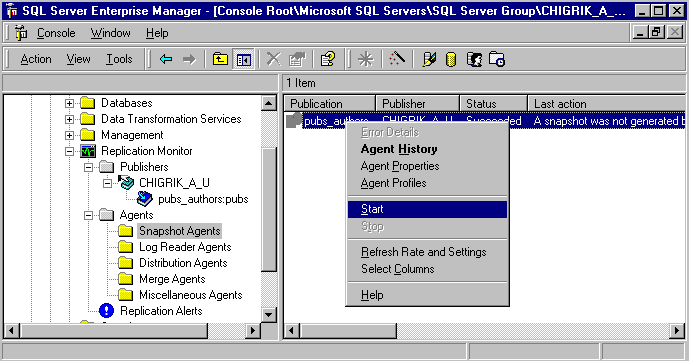
Start Snapshot Agent (if it start manually).
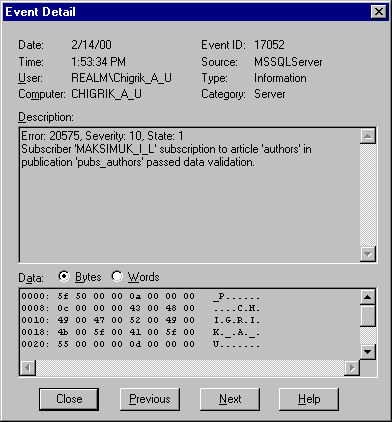
If all is OK, you will receive the message 20575.
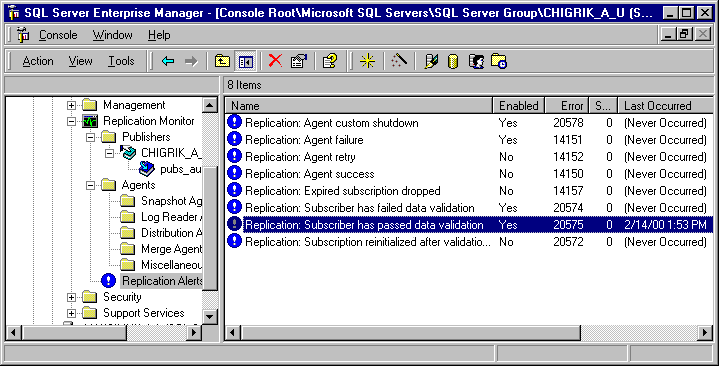
This alert will be written in the Windows NT Application log by default.
Literature
- SQL Server Books Online.
- Microsoft SQL Server 7.0 Unleashed (Publisher: Macmillan Computer Publishing) Author(s): Simon Gallagher; Sharon Bjeletich; Vipul Minocha; Greg, et al Mable http://www.itknowledge.com/reference/standard/0672312271/ewtoc.html
- Microsoft SQL Server 7 DBA Survival Guide (Publisher: Macmillan Computer Publishing) Author(s): Mark Spenik; Orryn Sledge http://www.itknowledge.com/reference/standard/0672312263/ewtoc.html
- Special Edition Using Microsoft SQL Server 7.0 (Publisher: Macmillan Computer Publishing) Author(s): Stephen Wynkoop http://www.itknowledge.com/reference/standard/0789715236/ewtoc.html
- Using Microsoft SQL Server 7.0 (Publisher: Macmillan Computer Publishing) Author(s): Brad McGehee http://www.itknowledge.com/reference/standard/0789716283/ewtoc.html