


 and OBJECTPROPERTY(id, N’IsUserTable’) = 1)
drop table [BlockLastBatch]
GO
CREATE TABLE [BlockLastBatch] (
[spid] [int] NULL ,
[blocked] [int] NULL ,
[last_batch] [datetime] NULL
) ON [PRIMARY]
GO
Step 2
Create procedure usp_writetofile
as shown in the figure Fig 1.1
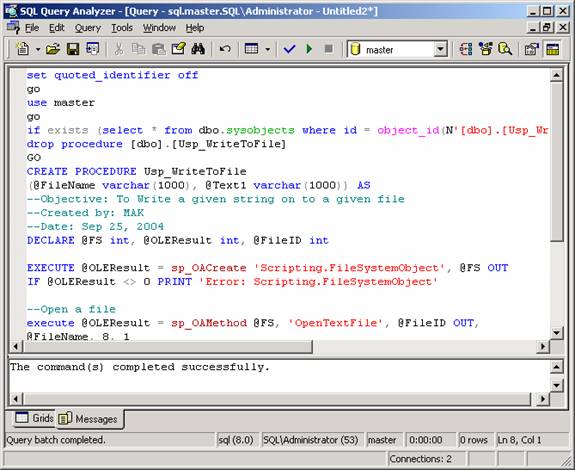
Fig 1.1
Source Code
set quoted_identifier off
go
use master
go
if exists (select * from dbo.sysobjects where id = object_id(N’[dbo].[Usp_WriteToFile]’)
   and OBJECTPROPERTY(id, N’IsProcedure’) = 1)
drop procedure [dbo].[Usp_WriteToFile]
GO
CREATE PROCEDURE Usp_WriteToFile
(@FileName varchar(1000), @Text1 varchar(1000)) AS
–Objective: To Write a given string on to a given file
–Created by: MAK
–Date: Sep 25, 2004
DECLARE @FS int, @OLEResult int, @FileID int
EXECUTE @OLEResult = sp_OACreate ‘Scripting.FileSystemObject’, @FS OUT
IF @OLEResult <> 0 PRINT ‘Error: Scripting.FileSystemObject’
–Open a file
execute @OLEResult = sp_OAMethod @FS, ‘OpenTextFile’, @FileID OUT,
@FileName, 8, 1
IF @OLEResult <>0 PRINT ‘Error: OpenTextFile’
–Write Text1
execute @OLEResult = sp_OAMethod @FileID, ‘WriteLine’, Null, @Text1
IF @OLEResult <> 0 PRINT ‘Error : WriteLine’
EXECUTE @OLEResult = sp_OADestroy @FileID
EXECUTE @OLEResult = sp_OADestroy @FS
Download usp_writetofile.sp
Step 3
Create the procedure, usp_blockmonitor,
by executing the below SQL statement [Fig 1.2].
Download usp_blockmonitor.sp.
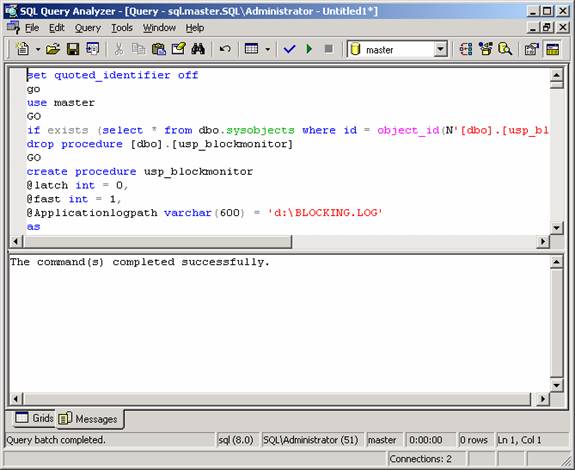
Fig
1.2
Step 4 Create another procedure for identifying the blocking
duration.
use master
go
if exists (select * from dbo.sysobjects where id = object_id(N’[dbo].[usp_blockingalert]’)
   and OBJECTPROPERTY(id, N’IsProcedure’) = 1)
drop procedure [dbo].[usp_blockingalert]
GO
SET QUOTED_IDENTIFIER OFF
GO
SET ANSI_NULLS ON
GO
Create procedure usp_blockingalert
@thresholdmin int = 1,
@applicationlog varchar(1000) = ‘d:\BLOCKING.LOG’
–Created by MAK
–Created date: Oct 14, 2004
–Objective: To run BlockMonitor Job when blocking is more than a minute
as
declare @count1 int
declare @runstatus int
declare @date varchar(100)
declare @error varchar(1000)
select @count1 =count(*) from
master..BlockLastBatch a,
(select spid,blocked,last_batch from master..sysprocesses (nolock) where blocked<>0) as b
where a.last_batch = b.last_batch
if @count1 > 0
begin
set @error = ‘Blocking persist more than ‘ + convert(varchar(10),@thresholdmin )
exec master..usp_writetofile @applicationlog , @error
–print ‘Blocking more than one minute ‘
select @runstatus =run_status from msdb..sysjobhistory (nolock) where job_id =
(select job_id from msdb..sysjobs (nolock) where name =’Job_BlockMonitor’)
if @runstatus <>4
begin
exec msdb..sp_start_job ‘Job_BlockMonitor’
end
end
truncate table master..BlockLastBatch
insert into master..BlockLastBatch
select spid,blocked,last_batch from master..sysprocesses (nolock) where blocked<>0
GO
SET QUOTED_IDENTIFIER OFF
GO
SET ANSI_NULLS ON
GO
Download usp_blockingalert.sql.