
I recently had the opportunity to work with a new piece of
software for my SQL Server backups. The product is called SQL
Backup and it is made by Red Gate Software. With SQL Backup, you can
perform the following:
- Compressed backups
- Perform faster online backups
- Encrypt SQL Server backups with 128 bit Rijndael encryption
- Command line interface
Installing the tool is a snap. Simply run the
SQLBackupSetup.exe and the Welcome window appears (Figure A). Next, accept the
license agreement and choose the Destination Folder for your installation of
SQL Backup (Figure B.)
Click for larger image

Figure A.
Click for larger image

Figure B.
You now have the option of installing an extended store
procedure that allows you to perform backups remotely (Figure C.)
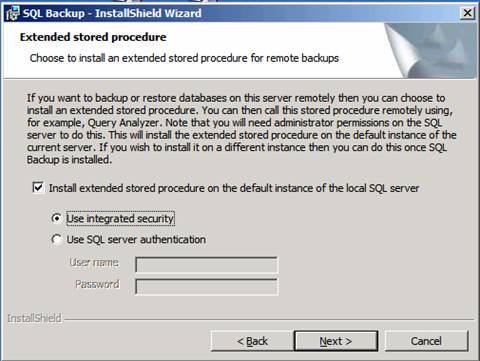
Figure C.
You are now ready to install the application by clicking
Install. Once the installation is complete, select the Launch SQL Backup
checkbox and click Finish, as shown in Figure D.
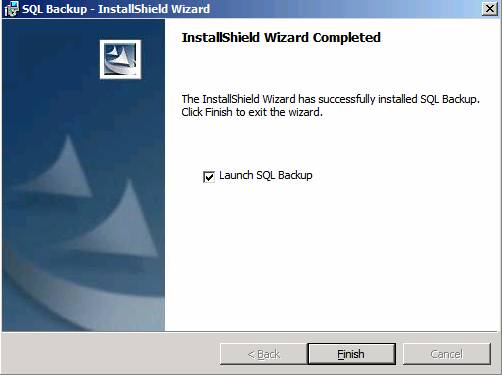
Figure D.
Next, you have to activate the server with your registration
key as shown in Figure E. If you do not activate the server, you can use it for
14 days.
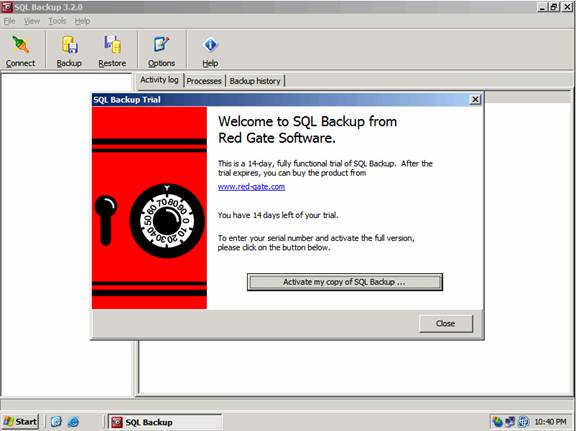
Figure F.
Performing a Backup
You can perform a backup using native TSQL or using SQL
Backup’s user interface. Let’s first go over how to perform and backup and restore
using SQL Backup’s UI.
To begin, launch SQL Backup from the Start menu (Start | SQL
Backup | SQL Backup) as shown in Figure G. Next, right-click on a database and
choose either backup or restore. The UI also has Backup and Restore buttons for
you to use. The wizard walks you through a simple process to backup or restore
your database. During the wizard, you have the option to choose a Full,
Differential, or Transaction log backup as well as the ability to encrypt your
data.
On the Backup Options window, you can backup the database to
a single file, split backup files, and/or produce mirrored backup files to make
multiple copies of a backup file at the same time. You can also choose your
compression options. The UI is very intuitive and just requires you to do some
due diligence and become familiar with the product.
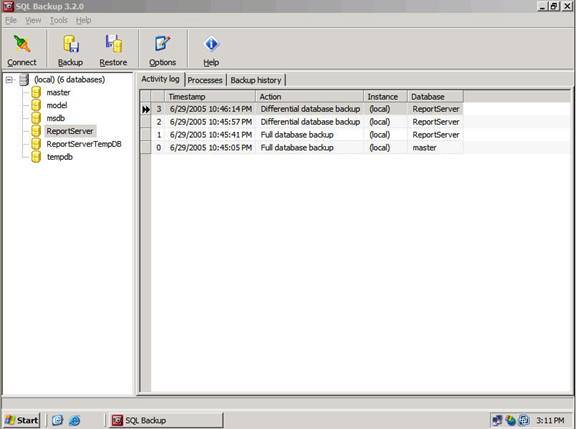
Figure G.
The restore wizard is just as intuitive as the backup wizard
is. Let’s move on and look at how to perform backups using TSQL (See Listing A).
Listing A
master..sqlbackup ‘-SQL “BACKUP DATABASE [DataJournal]  TO DISK = ‘
 ‘C:\WUTemp\datajournal2.sqb’ WITH NAME = ‘datajournal’,
 DESCRIPTION = ‘Backup on 7/8/2005 8:12:05 PM
  Database: DataJournal
  Instance: (local)
  Server: STEVEN-R5NJBO7Z’,
 PASSWORD = ‘gxa5cw==‘, COMPRESSION = 1″ -E’
When you run the Backup or Restore wizard from within the
software, you have the ability to choose your scripting format. If you were
going to run the query in Query Analyzer, you would want to choose the Extended
stored procedure format. As you can see, this software is very flexible and
allows a host of options.
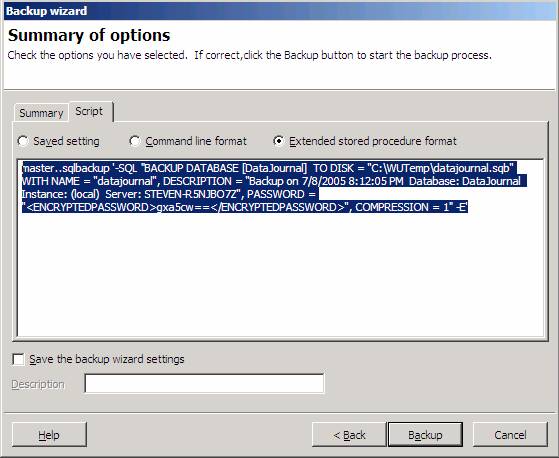
Figure H.
In the future, I plan to write several articles on my
favorite SQL Server tools. Download a trial copy of SQL Backup today and see
if it fits your needs.