


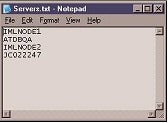
b. Create C:\monitorprocess\ Listremoteprocess2.vbs as shown below. [Refer Fig 1.1]. Please download Listremoteprocess2.vbs_.
‘Objective: To Find the CPU usage of each process that are running on a remote machine
‘Created by : MAK
‘Created Date: Nov 2, 2005
‘Syntax: cscript Listremoteprocess2.vbs machinename
‘Example: cscript Listremoteprocess2.vbs MyMachine
Set objArgs = WScript.Arguments
strComputer =objArgs(0)
Set objWMIService = GetObject(“winmgmts:\\” & strComputer & “\root\cimv2”)
Set colProcesses =
objWMIService.ExecQuery(“Select * from Win32_PerfFormattedData_PerfProc_Process”,,48)
‘   wscript.echo “Computer Name” & “,” & “Process Name” & “,”& “CPU Usage”
For Each objItem in colProcesses
if objItem.Name <> “Idle”  and objItem.Name <> “_Total” then
   wscript.echo strcomputer & “,
   ” & objItem.Name & “,
   “& objItem.PercentProcessorTime
end if
Next
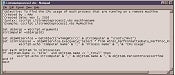
c. Create the file C:\monitorprocess\ Listaprocessremote.bat as shown below. [Refer fig 1.2]. Download Listaprocessremote.bat_.
REM Objective: To execute the Listremoteprocess2.vbsfor every server listed in servers.txt
REM Created by: MAK
REM Created by” Nov 2, 2005
REM Usage: Listaprocessremote.bat Allservers.csv
dir %1
if %errorlevel% == 0 goto process
goto delfile
:delfile
del %1
goto process
:process
for /f “tokens=1 delims=&” %%i in (c:\Monitorprocess\Servers.txt)
do cscript/nologo c:\Monitorprocess\Listremoteprocess2.vbs %%i >>%1
goto end
:end
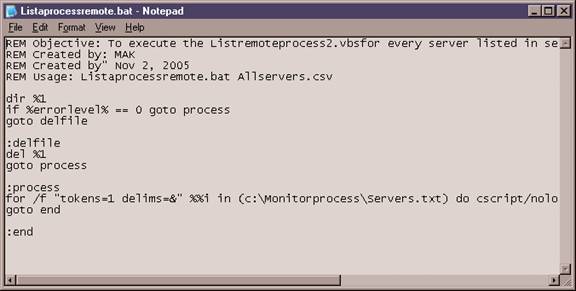
[Fig 1.2]
d. Execute the batch file as shown below. [Refer Fig 1.3].
Listaprocessremote.bat myserverprocess.csvOr
c:\monitorprocess\Listaprocessremote.bat c:\monitorprocess\myserverprocess.csv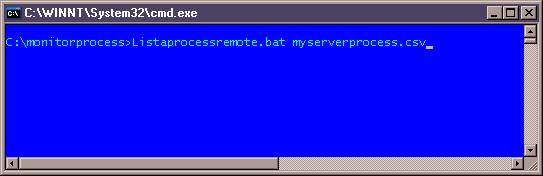
[Fig 1.3]
e. When this batch file is executed, it deletes the existing csv file, finds all of the processes that are running on a remote machine and their CPU usage and stores it in myserverprocess.csv file with the following message.
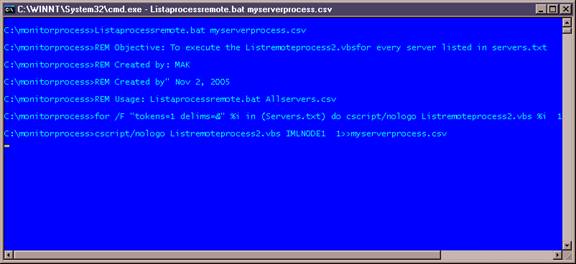
[Fig 1.4]
f. The .csv file can be viewed using Excel or notepad as shown below. [Refer Fig 1.5].
ATDBQA, sysdown, 0
ATDBQA, ClusSvc, 0
ATDBQA, cpqnimgt, 0
ATDBQA, cqmgserv, 0
ATDBQA, cqmgstor, 0
ATDBQA, cqmghost, 0
ATDBQA, cpqwmgmt, 0
ATDBQA, ResrcMon, 0
ATDBQA, naPrdMgr, 0
ATDBQA, wmiprvse, 0
ATDBQA, svchost, 0
ATDBQA, msdtc, 0
ATDBQA, sqlservr, 0
ATDBQA, sqlagent, 0
ATDBQA, DWRCS, 0
ATDBQA, locator, 0
ATDBQA, server, 0
ATDBQA, logon.scr, 0
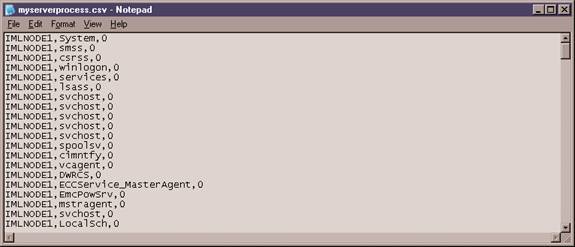
[Fig 1.5]
g. Let us create a database, Table and login as shown below.
create database MonitorProcesses
go
use MonitorProcesses
go
Create table Processes (
id int identity (1,1) not null,
ServerName varchar(128),
ProcessName varchar(256),
CPU_Usage int not null,
Time datetime constraint currentdate default getdate())
go
Create view Processes_view as
select ServerName,ProcessName, CPU_Usage from Processes
go
use master
go
sp_addlogin ‘procuser’,’B07250BE’,’MonitorProcesses’
go
use MonitorProcesses
go
sp_adduser ‘procuser’
go
sp_addrolemember ‘db_datareader’,’procuser’
go
sp_addrolemember ‘db_datawriter’,’procuser’
go
h. Let us import the myserverprocess.csv file using the following BULK INSERT command.
use MonitorProcesses
go
BULK INSERT MonitorProcesses.dbo.Processes_view
   FROM ‘c:\Monitorprocess\myserverprocess.csv’
   WITH
      (
         FIELDTERMINATOR = ‘,’,
         ROWTERMINATOR = ‘\n’
      )
i. This import process can be created as a scheduled job that imports this file daily. [Refer Fig 1.6, 1.7].
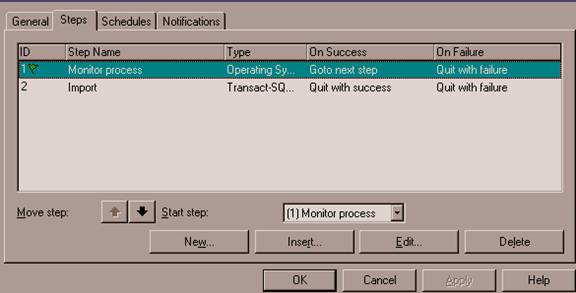
[Fig 1.6]
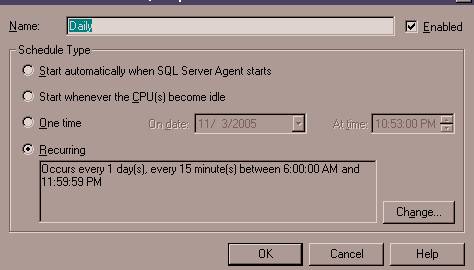
[Fig 1.7]
j. The table Process collects information about all of the processes and CPU usage from all of the servers. The table can be queried as shown below.
select * from Processes
select * from Processes where processname like ‘%SQLServr’
Select * from Processes where servername =’ATDBQA’
The result would look similar to that shown below.
312 |
ATDBQA |
msdtc |
6 |
11/3/05 10:31 PM |
313 |
ATDBQA |
sqlservr |
0 |
11/3/05 10:31 PM |
314 |
ATDBQA |
sqlagent |
0 |
11/3/05 10:31 PM |
315 |
ATDBQA |
DWRCS |
0 |
11/3/05 10:31 PM |
316 |
ATDBQA |
locator |
2 |
11/3/05 10:31 PM |
317 |
ATDBQA |
server |
0 |
11/3/05 10:31 PM |
318 |
ATDBQA |
logon.scr |
0 |
11/3/05 10:31 PM |
319 |
ATDBQA |
wmiprvse |
76 |
11/3/05 10:31 PM |
320 |
IMLNODE2 |
System |
0 |
11/3/05 10:31 PM |
321 |
IMLNODE2 |
smss |
0 |
11/3/05 10:31 PM |
322 |
IMLNODE2 |
csrss |
0 |
11/3/05 10:31 PM |
323 |
IMLNODE2 |
winlogon |
0 |
11/3/05 10:31 PM |
324 |
IMLNODE2 |
services |
0 |
11/3/05 10:31 PM |
325 |
IMLNODE2 |
lsass |
0 |
11/3/05 10:31 PM |
326 |
IMLNODE2 |
svchost |
0 |
11/3/05 10:31 PM |
327 |
IMLNODE2 |
svchost |
0 |
11/3/05 10:31 PM |
328 |
IMLNODE2 |
svchost |
0 |
11/3/05 10:31 PM |
329 |
IMLNODE2 |
svchost |
31 |
11/3/05 10:31 PM |
330 |
IMLNODE2 |
svchost |
0 |
11/3/05 10:31 PM |
331 |
IMLNODE2 |
spoolsv |
0 |
11/3/05 10:31 PM |
Conclusion
This article has illustrated how to monitor the CPU usage of different running processes on different machines, how to collect the information in a database table and automate the import process by scheduling.