A Brief Pep talk: Choosing a perfect Oracle
RAC configuration
We have done the preparation and gone about installing the
OCFS2 and ASM on our RHEL4.2 servers. Oracle RAC is growing in popularity and I
liked this
page at Oracle myself. Here, you can get pre-tested, documented best
practices of installing Oracle on Linux based systems. In addition, some good
recommendations, from this
author on Infostor, will help companies decide what to go for. I like the
quote in which he says that you can also deploy RAC on systems besides Linux
(which I will be documenting here as an ongoing effort to demo RAC on Solaris,
HP-UX and AIX servers as well).
Getting the Oracle RAC software
We have gone through this several times, but just to keep you
in the loop, go to Part
6 to get all the necessary software you need.
Now go ahead and unzip all the files, while logged on as an
“Oracle” user, into /tmp/orasoft directory (you are free to choose the
directory, I name it orasoft to avoid any confusion when looking for the
files).
We are talking about these three files and will go ahead and
unzip them in the /tmp/orasoft folder
-
Oracle
Complete Database Release 2 -
Oracle Database 10g
Companion CD Release 2 (10.2.0.1.0) for Linux x86 - Oracle Clusterware Release 2 (10.2.0.1.0) for Linux x86
Extract the Clusterware package as follows:
# su - oracle
$ cd ~tmp/orasoft
$ unzip 10201_clusterware_linux32.zip
$ unzip 10201_database_linux32.zip
$ unzip 10201_companion_linux32.zip
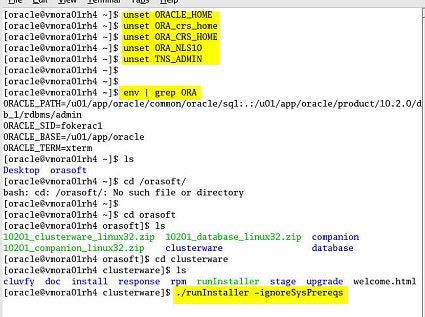
OK now make sure that you are logged in as user “Oracle,” and have unset a
couple of parameters such as ORACLE_HOME, etc. and allow for xserver
connections for access from any console.
After being logged in as root, do the following:
# xhost +
Then logon as Oracle and follow the steps as detailed out in the print
screens:
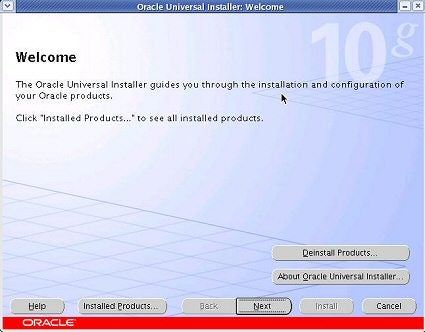
Welcome screen, click next.
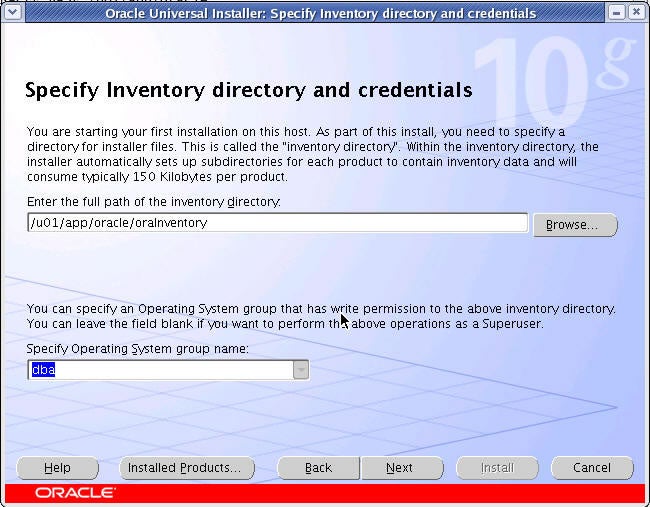
Specify inventory directory and credentials. We choose
/u01/app/oracle/oraInventory and specify “dba” as the operating system username.
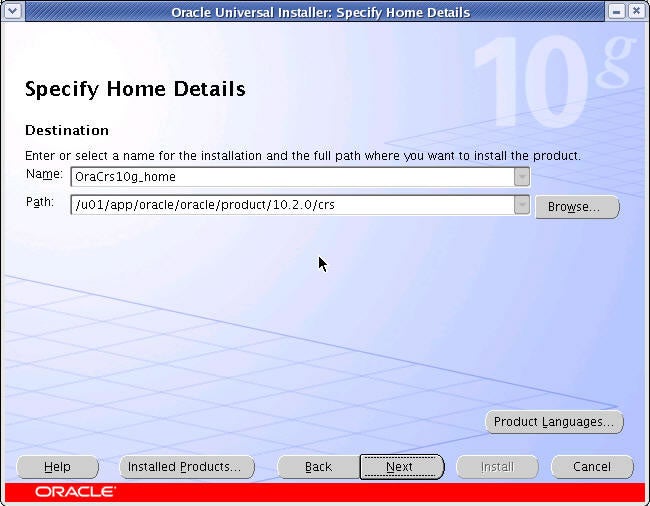
Specify home details.
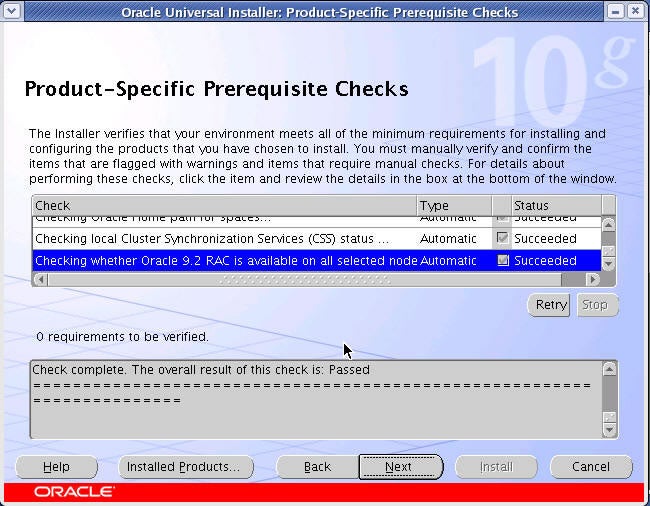
Product specific pre-requisite checks.
Add a new node: The primary node where you are running the
installer will be picked up by the installer and you will have to specify the
additional node(s) by clicking the “Add” button:
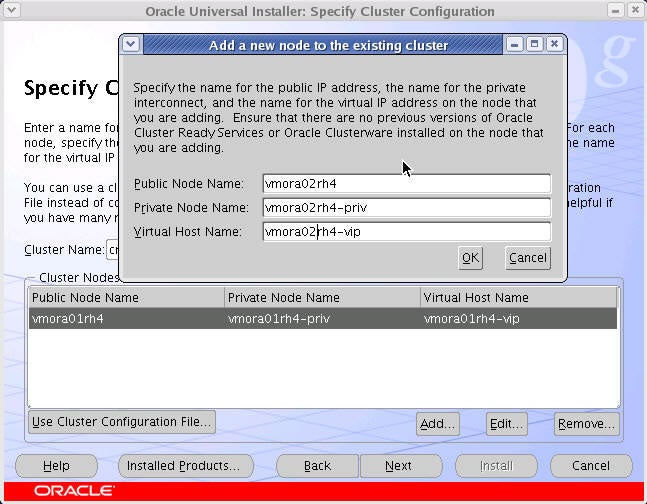
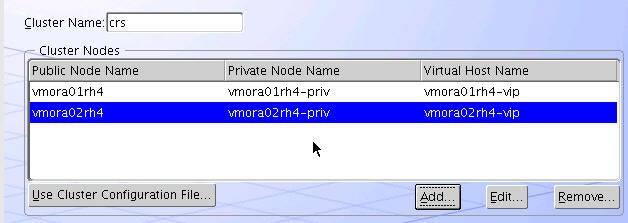
We will leave the cluster name as “crs”, you can however
choose a name that fits your installation template.
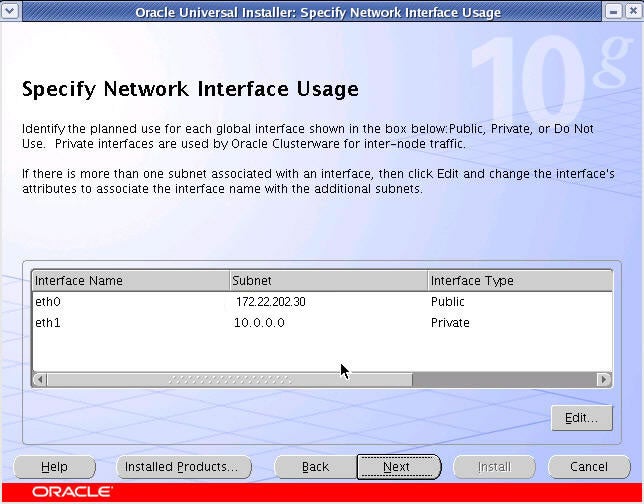
Your Ethernet interfaces are presented to you:
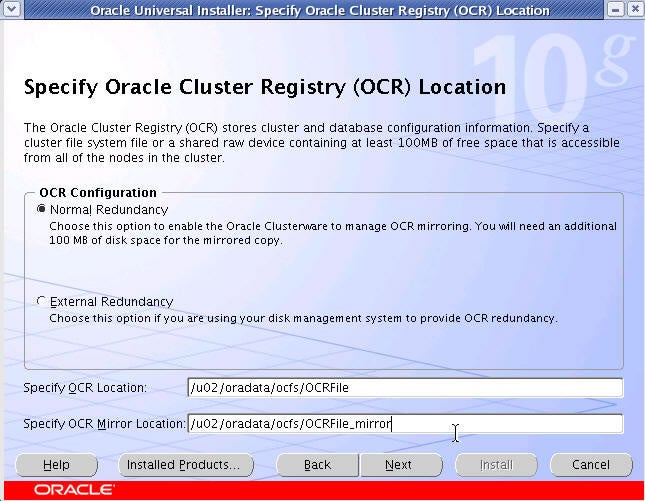
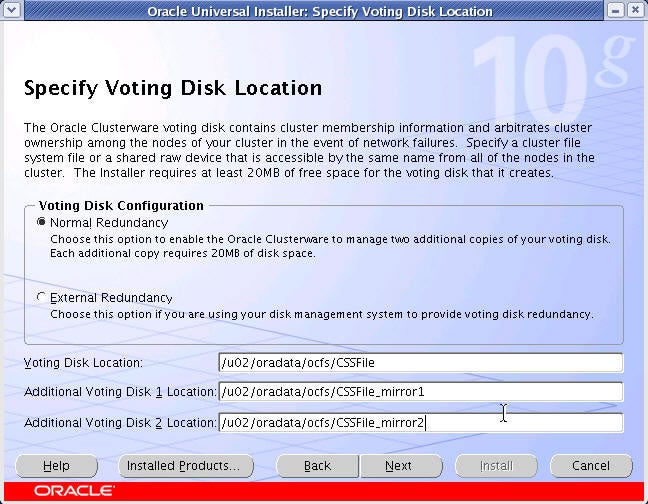
Specify the Oracle CRS location: Remember
we created three files, which we formatted with OCFS.
Specify Voting Disk Location:
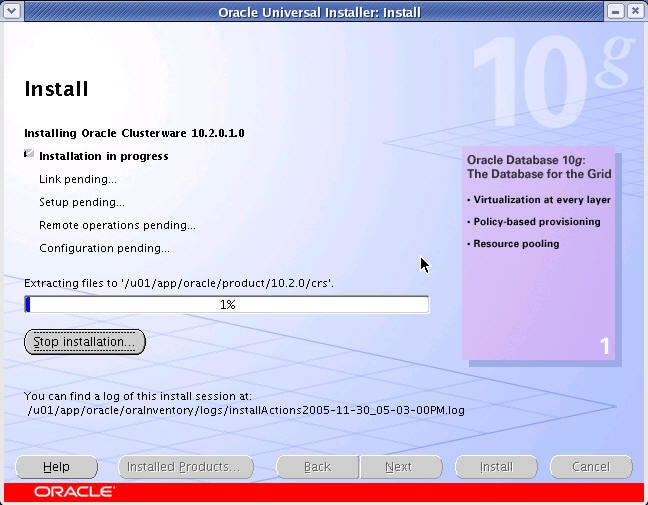
You are presented with a summary. If all is satisfactory
click on install:
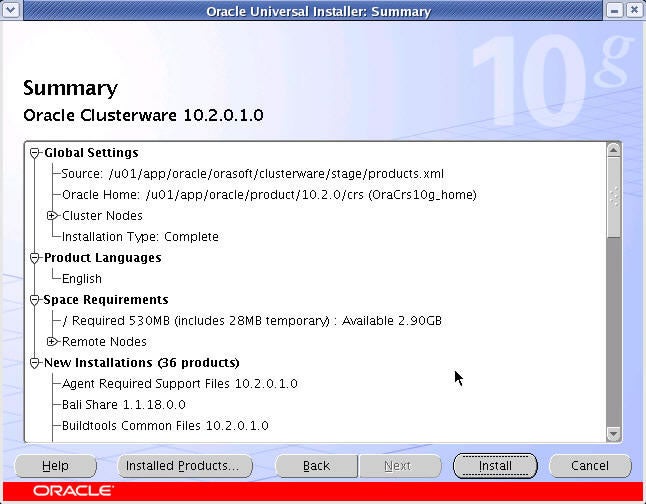
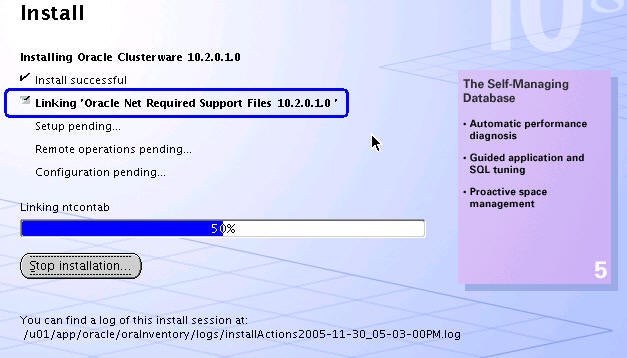
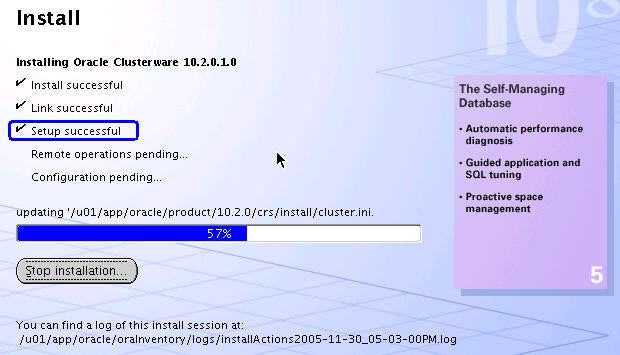
Installer runs: