


Brief intro
In our last article, we looked
at some benchmarking opportunities with the free tool Swingbench. We learned to
install it and in the coming articles (in the administration series), we will
focus on testing it. Hopefully the beta versions will include Oracle 11g tests,
as we are very curious to test Oracle 11g as well.
But first things first.
Oracle 11g is out and so is ESX 3i, well almost. VMware plans to release ESX 3i
in December, alongside the ESX 3.5 version, which happens to be a regular
upgrade to the currently used 3.0.2 version.
I intend to test Oracle 11g
on ESX 3i in the coming days so I chose the title ESX 3i. We will however do
the installations on the VMware workstation and keep the installation in ESX
3.x compatibility mode, and the sooner we get the ESX 3i, the better!
VMware ESX 3i: What are the new features?
So, what is ESX 3i and how
does it different from VMware’s regular ESX 3.x version? Simple differences are
as follows:
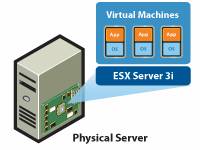
- ESX
3, the traditional version used several gigabytes to install while the ESX 3i
has a very small footprint, a mere 32mb! - This
one will be the basic firmware type embedded installation on your hardware; it
will however include basic functionalities, such as VMFS (Virtual Machine File
System) and vSMP (Virtual Symmetrical Multiple Processors) but you will have to
buy other management modules such as VMotion, SAN/iSCSI/NFS, etc. - There
will be a Vmware Update Manager, which will patch your ESX servers seamlessly. - There
will be distributed power management (DPM) that will help your data centers “Go
Green” by optimizing the power consumption. - There
will also be Storage Vmotion and many other features, which will come as VMware
expands its portfolio to enhance the management capabilities of ESX
environments.
Obviously, there will be
many more benefits; quoting VMware:
Strengthen Security & Improve Reliability
ESX Server 3i is the only
hypervisor that does not incorporate or rely on a general-purpose operating
system (OS), eliminating many common reliability issues and security
vulnerabilities. The slim 32MB footprint of ESX Server 3i is a fraction of the
size of a general-purpose operating system, resulting in a smaller attack
surface while minimizing the effort required for tasks such as security
hardening, user access control, anti-virus and backup. In addition, integration
into solid-state components inside a server enables diskless server
configurations. This reduces hardware failure rates and decreases server power
consumption.Go to VMware’s site to learn
more about ESX 3i.
A quick peek at the VMware ESX 3i Beta
Setting up the VMware ESX 3i beta is not
really that easy, given the USB sticks that we all got during the Vmworld 2007 in San
Francisco. So, for test and demo purposes we will
setup our ESX 3i on the VMware Wokstation 6.x.
Simple steps to convert the USB disk as a
VMware workstation run-able ESX VM:
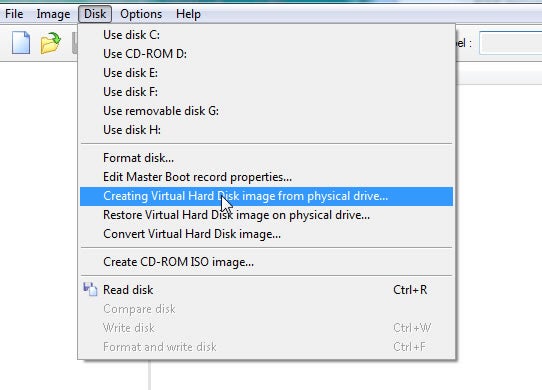
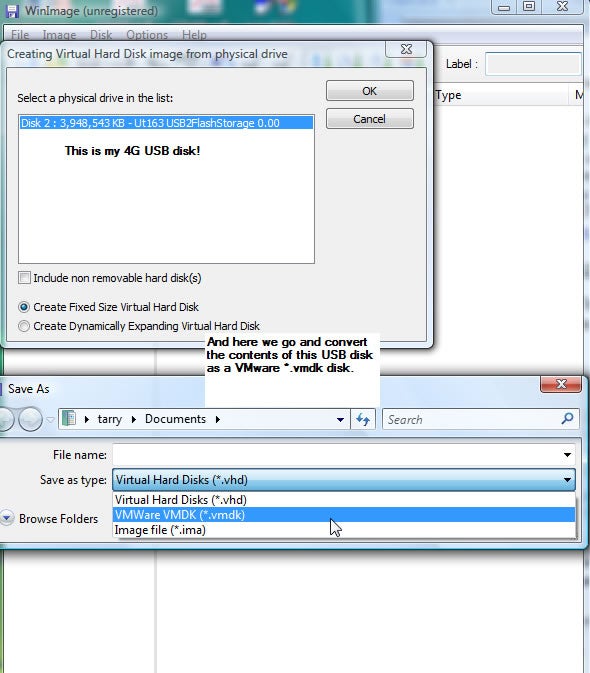
- Use WinImage to convert the USB disk into a *.vmdk
disk. There are also options to convert it from VM to Microsoft office’s vhd
format. See the screenshots below: -
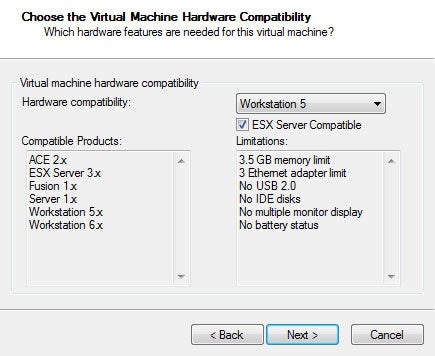
Create a new VM with the workstation; choose WorkStation
5 from the drop down list and check ESX Server compatibility. - Add the following features to make the machine
talk directly to your CPU. I typically add 3 NICs for VMotion, HA and other
testing scenarios.
#############################################
# ESX e1000 cards and Intel VT 32 Settings  #
#############################################
ethernet0.present = “TRUE”
ethernet0.wakeOnPcktRcv = “FALSE”
ethernet0.virtualDev = “e1000”
ethernet0.connectionType = “bridged”
ethernet0.addressType = “generated”
ethernet1.present = “TRUE”
ethernet1.wakeOnPcktRcv = “FALSE”
ethernet1.virtualDev = “e1000”
ethernet1.connectionType = “bridged”
ethernet1.addressType = “generated”
ethernet2.present = “TRUE”
ethernet2.wakeOnPcktRcv = “FALSE”
ethernet2.virtualDev = “e1000”
ethernet2.connectionType = “bridged”
ethernet2.addressType = “generated”
monitor_control.restrict_backdoor = “TRUE”
monitor_control.vt32 = “TRUE”
#############################################
disk by adding these settings to your VMX file;
ide0:0.present = “TRUE”
ide0:0.fileName = “My VMware 3i.vmdk”
A couple of screenshots to get the first
look of VMware ESX 3i:
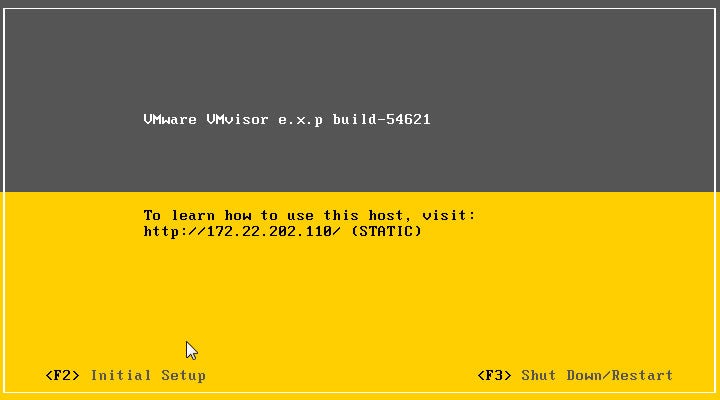
Simple options, as you can see yourself:
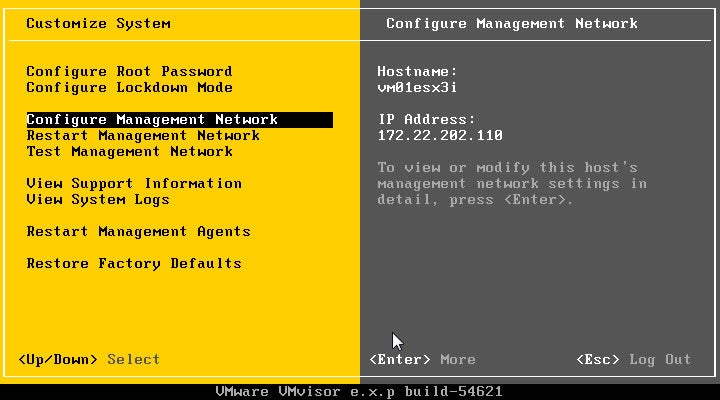
You can see the “Hardware Virtualization
mode” that VMware is on. Just like any other hardware appliance, you can simply
revert to factory defaults when you want:
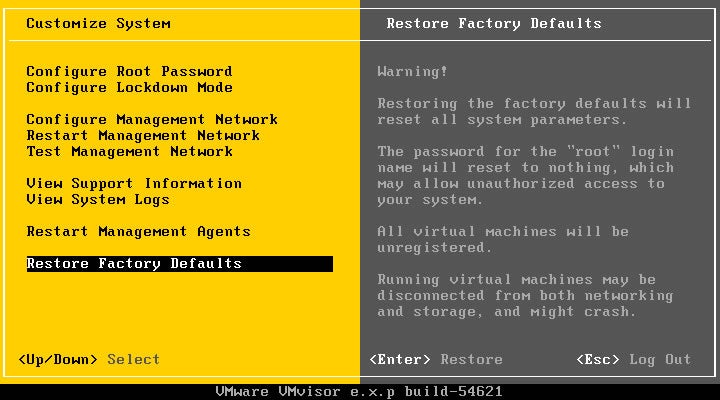
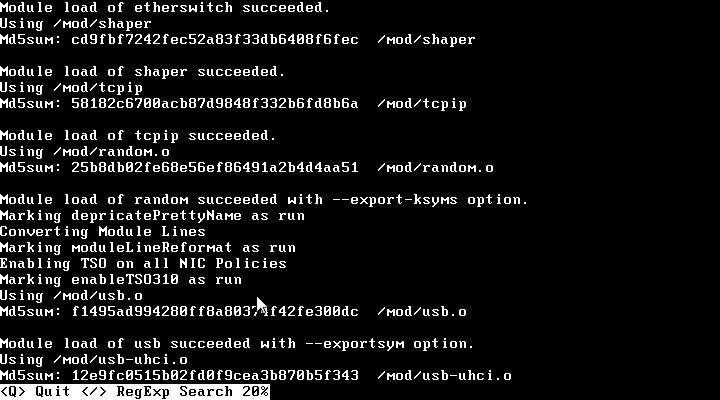
Check log files: Type 1, 2, 3 or 4 to get
individual log files
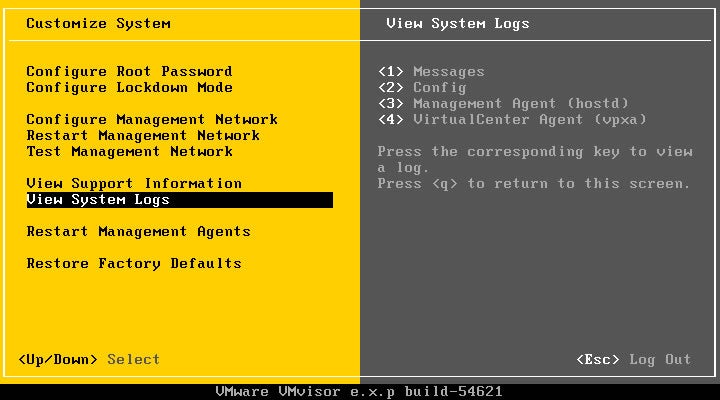
Type Q to go back to the console:
Oracle 11g: what has changed?
…and what specific RAC enhancements took place?
-
RAC parallel upgrades: This way you can rollout an update without
any significant downtime. We are very curious though and will explore it in the
course of time. -
Oracle RAC load balance advisor: 11g onwards, it is only
available for clients using .NET, ODBC or OCI (Oracle Call Interface). - Interval Partitioning: Making partitions has only become easier.
-
ADDM for 11g RAC: Oracle will have RAC with ADDM (Automatic
Database DiagnosticMonitor) for cross-nodes. - Hot Patching: No downtime when patching your RAC cluster.
- Improved Cache Fusion Protocols
-
RAC grid provisioning: Allows you to roll out a pre-installed
template and just add a node to your grid seamlessly. -
Data Guard: standby snapshot feature allows one to encapsulate a
regression test. Collect that “standby” snapshot and use the regression test in
your QA with your production data. Nice feature this! -
Intelligent Fault Resolution: Automatic dumps for faults and
ready for diagnostics.
Conclusion
We’ve taken a good look at two great trends in the IT
industry. We are heading towards more consolidated and yet effective computing
and virtualization is the answer. It continues to address critical issues
such as energy consumption and over-utilization of energy and power. On the
other hand, Oracle RAC is a great technology where you have a clustered and
load balanced database environment. We have gone through this again and again
but HA (High Availability) and RAC will move towards commoditization too, as
consumers and customers aspire to more 24×7 applications. HA and Virtualization
are two trends that are pushing the IT industry into hyperdrive. Our next
article onwards will begin our Installation series. We will start with Windows and
then move on to Linux (both 32 and 64 bit).