


Often SQL Server Database administrators struggle with hard disk space and constantly strive to clean up tables and schemas, writing many queries to find which table and schema uses the most hard disk space.
This article illustrates how to query system catalogs to find the space usage, which helps database administrators identify the schemas and tables that are using the most space in order to archive the old data and purge un-necessary data.
Note: The scripts listed in the article were tested in SQL Server 2005 and SQL Server 2008 CTP5.
Step 1
Logon to the SQL Server Instance [SQL Server 2005 or SQL Server 2008] as shown below. [Refer Fig 1.0]
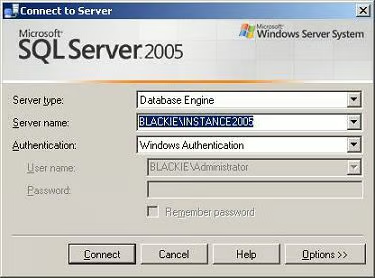
Fig 1.0
Step 2
Navigate to the database that you want to get the space information on, as shown below. [Refer Fig 1.1]
Use AdventureWorks
go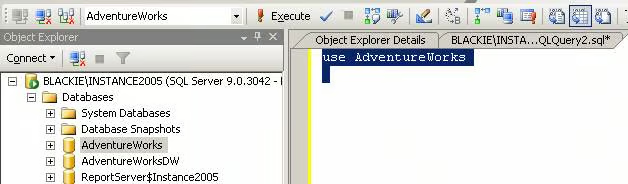
Fig 1.1
Step 3
Copy and paste the code below to your Query Window and execute it as shown below. [Fig 1.2]
begin try
SELECT
 (row_number() over(order by a3.name, a2.name))%2 as l1,
 a3.name AS [schemaname],
 a2.name AS [tablename],
 a1.rows as row_count,
 (a1.reserved + ISNULL(a4.reserved,0))* 8 AS reserved,
 a1.data * 8 AS data,
 (CASE WHEN (a1.used + ISNULL(a4.used,0)) > a1.data THEN
   (a1.used + ISNULL(a4.used,0)) – a1.data ELSE 0 END) * 8 AS index_size,
 (CASE WHEN (a1.reserved + ISNULL(a4.reserved,0)) > a1.used THEN
   (a1.reserved + ISNULL(a4.reserved,0)) – a1.used ELSE 0 END) * 8 AS unused
FROM
 (SELECT
  ps.object_id,
  SUM (
   CASE
    WHEN (ps.index_id < 2) THEN row_count
    ELSE 0
   END
   ) AS [rows],
  SUM (ps.reserved_page_count) AS reserved,
  SUM (
   CASE
     WHEN (ps.index_id < 2) THEN
   (ps.in_row_data_page_count + ps.lob_used_page_count + ps.row_overflow_used_page_count)
     ELSE (ps.lob_used_page_count + ps.row_overflow_used_page_count)
   END
   ) AS data,
  SUM (ps.used_page_count) AS used
 FROM sys.dm_db_partition_stats ps
 GROUP BY ps.object_id) AS a1
LEFT OUTER JOIN
 (SELECT
  it.parent_id,
  SUM(ps.reserved_page_count) AS reserved,
  SUM(ps.used_page_count) AS used
  FROM sys.dm_db_partition_stats ps
  INNER JOIN sys.internal_tables it ON (it.object_id = ps.object_id)
  WHERE it.internal_type IN (202,204)
  GROUP BY it.parent_id) AS a4 ON (a4.parent_id = a1.object_id)
INNER JOIN sys.all_objects a2  ON ( a1.object_id = a2.object_id )
INNER JOIN sys.schemas a3 ON (a2.schema_id = a3.schema_id)
WHERE a2.type <> ‘S’ and a2.type <> ‘IT’
ORDER BY a3.name, a2.name
end try
begin catch
select
 -100 as l1
, 1 as schemaname
,       ERROR_NUMBER() as tablename
,       ERROR_SEVERITY() as row_count
,       ERROR_STATE() as reserved
,       ERROR_MESSAGE() as data
,       1 as index_size
,   1 as unused
end catch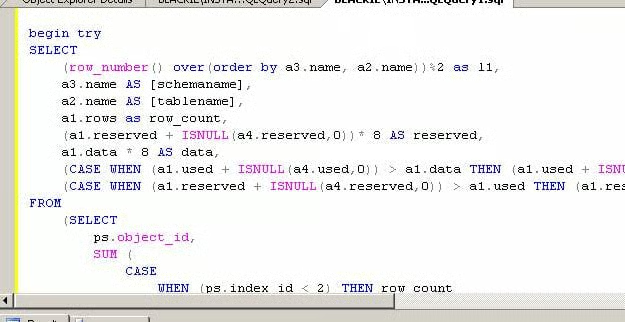
Fig 1.2
On executing the above code, you will see the table space usage report shown below. [Refer Fig 1.3]
Result
l1, schemaname, tablename, row_count, reserved, data, index_size, unused
1, dbo, AWBuildVersion, 1, 16, 8, 8, 0
0, dbo, DatabaseLog, 451, 1696, 1616, 24, 56
1, dbo, ErrorLog, 0, 0, 0, 0, 0
0, HumanResources, Department, 16, 32, 8, 24, 0
1, HumanResources, Employee, 290, 176, 56, 120, 0
0, HumanResources, EmployeeAddress, 290, 48, 16, 32, 0
1, HumanResources, EmployeeDepartmentHistory, 296, 64, 16, 48, 0
0, HumanResources, EmployeePayHistory, 316, 32, 16, 16, 0
1, HumanResources, JobCandidate, 13, 232, 128, 32, 72
0, HumanResources, Shift, 3, 48, 8, 40, 0
1, Person, Address, 19614, 4960, 2224, 2440, 296
0, Person, AddressType, 6, 48, 8, 40, 0
.
.
.
.
0, Sales, SalesReason, 10, 16, 8, 8, 0
1, Sales, SalesTaxRate, 29, 48, 8, 40, 0
0, Sales, SalesTerritory, 10, 48, 8, 40, 0
1, Sales, SalesTerritoryHistory, 17, 32, 8, 24, 0
0, Sales, ShoppingCartItem, 3, 32, 8, 24, 0
1, Sales, SpecialOffer, 16, 32, 8, 24, 0
0, Sales, SpecialOfferProduct, 538, 88, 24, 64, 0
1, Sales, Store, 701, 1496, 808, 608, 608
0, Sales, StoreContact, 753, 160, 40, 120, 0
(72 row(s) affected)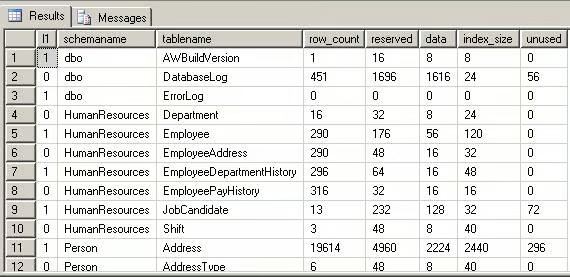
Fig 1.3
The Above script can be modified using the SUM, COUNT function and the group by clause to produce schema space usage.
Copy and paste the below code to your query window and execute it. [Refer Fig 1.4]
begin try
SELECT
 –(row_number() over(order by a3.name, a2.name))%2 as l1,
 a3.name AS [schemaname],
 count(a2.name ) as NumberOftables,
 sum(a1.rows) as row_count,
 sum((a1.reserved + ISNULL(a4.reserved,0))* 8) AS reserved,
 sum(a1.data * 8) AS data,
 sum((CASE WHEN (a1.used + ISNULL(a4.used,0)) > a1.data THEN
   (a1.used + ISNULL(a4.used,0)) – a1.data ELSE 0 END) * 8 )AS index_size,
 sum((CASE WHEN (a1.reserved + ISNULL(a4.reserved,0)) > a1.used THEN
   (a1.reserved + ISNULL(a4.reserved,0)) – a1.used ELSE 0 END) * 8) AS unused
FROM
 (SELECT
  ps.object_id,
  SUM (
   CASE
    WHEN (ps.index_id < 2) THEN row_count
    ELSE 0
   END
   ) AS [rows],
  SUM (ps.reserved_page_count) AS reserved,
  SUM (
   CASE
    WHEN (ps.index_id < 2) THEN
     (ps.in_row_data_page_count + ps.lob_used_page_count + ps.row_overflow_used_page_count)
    ELSE (ps.lob_used_page_count + ps.row_overflow_used_page_count)
   END
   ) AS data,
  SUM (ps.used_page_count) AS used
 FROM sys.dm_db_partition_stats ps
 GROUP BY ps.object_id) AS a1
LEFT OUTER JOIN
 (SELECT
  it.parent_id,
  SUM(ps.reserved_page_count) AS reserved,
  SUM(ps.used_page_count) AS used
  FROM sys.dm_db_partition_stats ps
  INNER JOIN sys.internal_tables it ON (it.object_id = ps.object_id)
  WHERE it.internal_type IN (202,204)
  GROUP BY it.parent_id) AS a4 ON (a4.parent_id = a1.object_id)
INNER JOIN sys.all_objects a2  ON ( a1.object_id = a2.object_id )
INNER JOIN sys.schemas a3 ON (a2.schema_id = a3.schema_id)
WHERE a2.type <> ‘S’ and a2.type <> ‘IT’
group by a3.name
ORDER BY a3.name
end try
begin catch
select
 -100 as l1
, 1 as schemaname
,       ERROR_NUMBER() as tablename
,       ERROR_SEVERITY() as row_count
,       ERROR_STATE() as reserved
,       ERROR_MESSAGE() as data
,       1 as index_size
,   1 as unused
end catch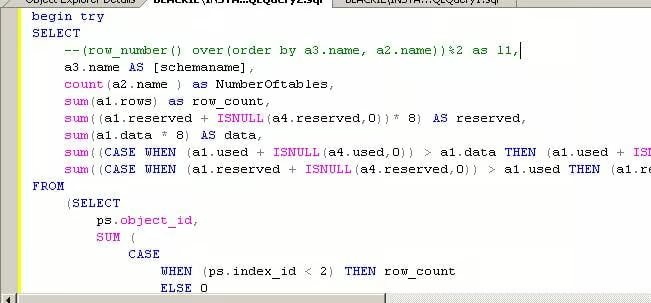
Fig 1.4
This will produce the schema space usage result, as shown below. [Refer Fig 1.5]
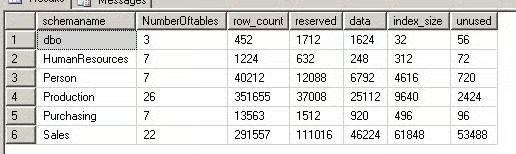
Fig 1.5
Result
schemaname, NumberOftables, row_count, reserved, data, index_size, unused
dbo, 3, 452, 1712, 1624, 32, 56
HumanResources, 7, 1224, 632, 248, 312, 72
Person, 7, 40212, 12088, 6792, 4616, 720
Production, 26, 351655, 37008, 25112, 9640, 2424
Purchasing, 7, 13563, 1512, 920, 496, 96
Sales, 22, 291557, 111016, 46224, 61848, 53488
(6 row(s) affected)
Conclusion
By executing the above queries, you can get the space usage result on a table by table basis or by schema.