


This article examines how to take advantage of VB Script
and MS-DOS batch files to restore multiple DTS packages stored in the form of
structured storage files from one folder to a SQL Server box. When many DTS
packages reside as structured storage files, it can be tiresome to restore
those DTS packages one by one using Enterprise Manager. [Fig 1.1] As described
in my previous article, Automating
"Save DTS package," there may be cases where you have multiple DTS packages
stored in a folder.
Click for larger image
[Fig 1.1]
Let’s
simulate the whole process of restoring multiple DTS packages stored as a structured
storage file.
Pre-Requisite
- SQL
Server client installed on the machine - All the
DTS packages have only one version stored in the structured storage file - The Windows
Login used to run the VB Script should have administrative access to the
SQL Server box where you are going restore the packages, because we are
going to use Trusted Connection.
Let us
assume that we have all the DTS packages stored in a structured storage format
in the folder D:\DTS\20040828 [Fig 1.2]
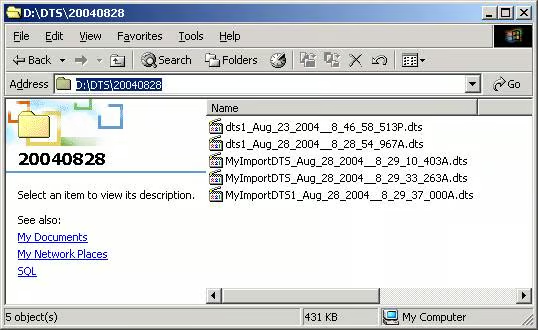
[Fig 1.2]
Step 1
Create folder C:\restoreDTS. [Fig 1.3]
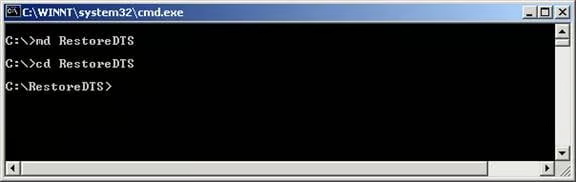
[Fig 1.3]
Step 2
Create
C:\RestoreDTS\RestoreDTS.vbs. Copy and paste the code below into RestoreDTS.vbs
and save the file.
‘Objective: Load DTS package and save it to SQL Server
‘Created by:MAK
‘Date: Sep 17, 2004
SQlServer=WScript.Arguments(0)
Filename=WScript.Arguments(1)
const TrustedConnection = 256
dim version1
Set oPackage1 = CreateObject("DTS.Package2")
oPackage1.LoadFromStorageFile Filename,"","","",""
oPackage1.SaveToSQLServer SQlServer, , , TrustedConnection
Set oPackage1 = Nothing
Download
Code here.
Step 3
Create
C:\RestoreDTS\Restore.bat. Copy and paste the code below into the file and save
it.
REM Objective: Load DTS package and save it to SQL Server
REM Type: Batch File to get all DTS package name
REM Created by: MAK
REM Contact: mak_999@yahoo.com
REM Date: Sep 17, 2004
REM Parameters %1 = SQl Server box name %2 = directory name
@Echo on
REM Export DIR listing to C:\MyImport\Dirlist.txt
Echo "Load Started"
Date/t
time/t
dir %2 /b > C:\RestoreDTS\Dirlist.txt
REM Restore all the DTS package listed in C:\RestoreDTS\Dirlist.txt
for /f "tokens=1" %%i in (C:\RestoreDTS\Dirlist.txt) do Cscript /nologo RestoreDTS.vbs %1 %2%%i
REM echo %2%%i
Echo "Load Completed"
Date/t
time/tDownload Restore.Bat
here.