SQL Server and MOM Part II | Database Journal

SQL Server and MOM Part II

Jun 23, 2006
2 minute read

In my last article
we discussed, how to configure a virtual environment, install, and begin to
configure MOM 2005 to monitor SQL Server. This article will continue where the
last one left off. We will import MOM 2005 Management Packs and Reports and
begin monitoring SQL Server 2005.

Let’s start with opening the console, by choosing Start |
All Programs | Microsoft Operations Manager 2005 | Administrator Console
(Figure A.)
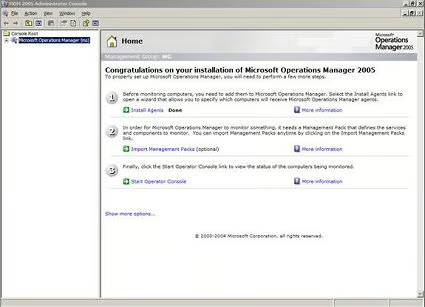


Figure A.

Next, click the Import Management Packs link. You must have
a management pack in order for MOM to be able to monitor activity. Click Next
on the Welcome Screen, as shown in Figure B.
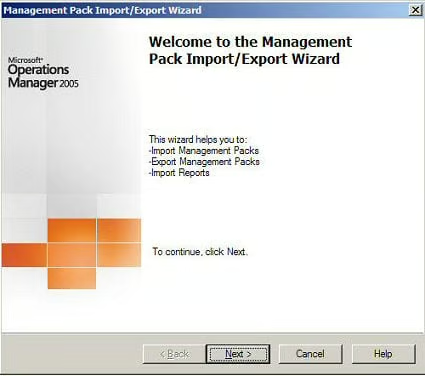


Figure B.

Continue by choosing the Import Managements Packs and/or
Reports radio button (Figure C.)
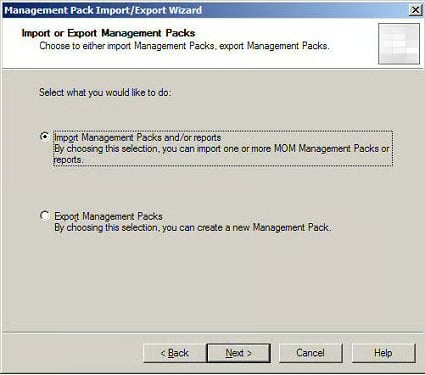


Figure C.

You are now ready to browse to the CD-ROM where the
Management Packs exist. Figure D. is an example of how to import your
Management Packs and Reports.
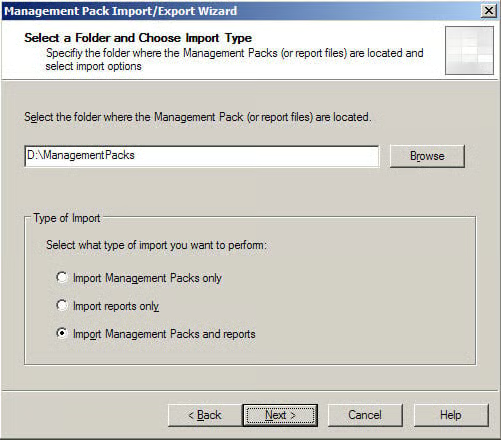


Figure D.

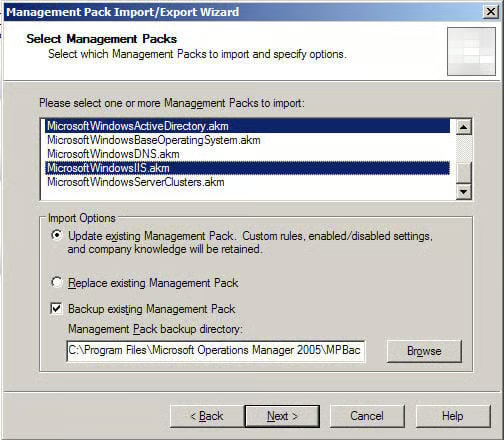
On this window (Figure E.), you can select the following
Management Packs and Reports desired:

  • Microsoft
    Baseline Security Analyzer.akm

  • Microsoft
    Exchange 2000 Server.akm

  • Microsoft
    Exchange Server 2003.akm

  • MOM
    2005.akm

  • SMS
    2003.akm

  • SQL
    Server 2000.akm

  • Windows
    Active Directory.akm

  • Windows
    Base Operating System.akm

  • DNS.akm

  • IIS.akm

  • Server
    Clusters.akm


Figure E.

Once you choose the Management Packs, the Select Reports
window appears for you to choose the applicable reports, as shown in Figure F.
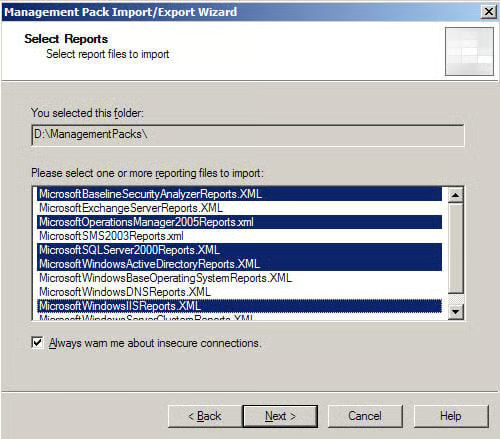


Figure F.

Click continue when you are presented with a Secure Socket
Layer (SSL) warning dialog box. You are now ready to review your selection and
begin the importing process. This should take some time if you chose to import
all of the management packs. Click Finish (Figure G.) and then review the
overall status as shown in Figure H.
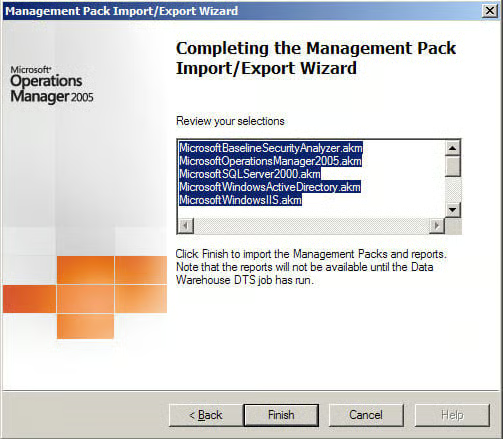


Figure G.
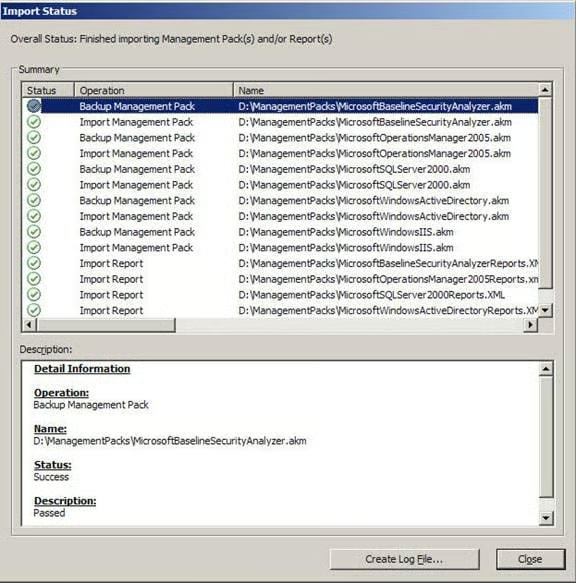


Figure H.

SW

Steven S. Warren is a popular author residing in Winter Haven, Florida with his wife Danna and 2 children: Catie-Charlotte and Dain. As a columnist on such well-known IT web sites as Techrepublic.com, CNET, and ZDNET, Steven has published numerous articles. Additionally, Steven holds the following certifications: MCDBA, MCSE, MCSA, CCA, CIW-SA, CIW-MA, Network+, and I-Net+. As a Senior Technical Consultant for The Ultimate Software Group, Steven has become an expert at administering Microsoft networks including Microsoft SQL Server. He is also a computer hardware and troubleshooting expert, and is constantly seeking out new technologies and certifications. Additionally, Microsoft recently awarded him the Most Valuable Professional (MVP) award for his outstanding achievements. Steven resides in Winter Haven, Fl.

Database Journal Logo

DatabaseJournal.com publishes relevant, up-to-date and pragmatic articles on the use of database hardware and management tools and serves as a forum for professional knowledge about proprietary, open source and cloud-based databases--foundational technology for all IT systems. We publish insightful articles about new products, best practices and trends; readers help each other out on various database questions and problems. Database management systems (DBMS) and database security processes are also key areas of focus at DatabaseJournal.com.

Property of TechnologyAdvice. © 2026 TechnologyAdvice. All Rights Reserved

Advertiser Disclosure: Some of the products that appear on this site are from companies from which TechnologyAdvice receives compensation. This compensation may impact how and where products appear on this site including, for example, the order in which they appear. TechnologyAdvice does not include all companies or all types of products available in the marketplace.